Compatible Laptop DC-in Power Jack Cable for Dell XPS 12 9250, XPS 13 7390, XPS 15 9575, 9500 and XPS 17 9700
Product Description
Buy a compatible DC-in power jack cable for selected Dell XPS laptops from LaptopHub. This replacement charging-port cable is intended for compatible laptop models experiencing charging connection problems caused by a damaged or faulty DC-in jack assembly.
The DC-in power jack provides the connection between the laptop’s charging port and its internal power circuitry. A damaged connector, loose connection, or faulty cable assembly may cause intermittent charging, an unstable charging connection, or difficulty connecting the power adapter.
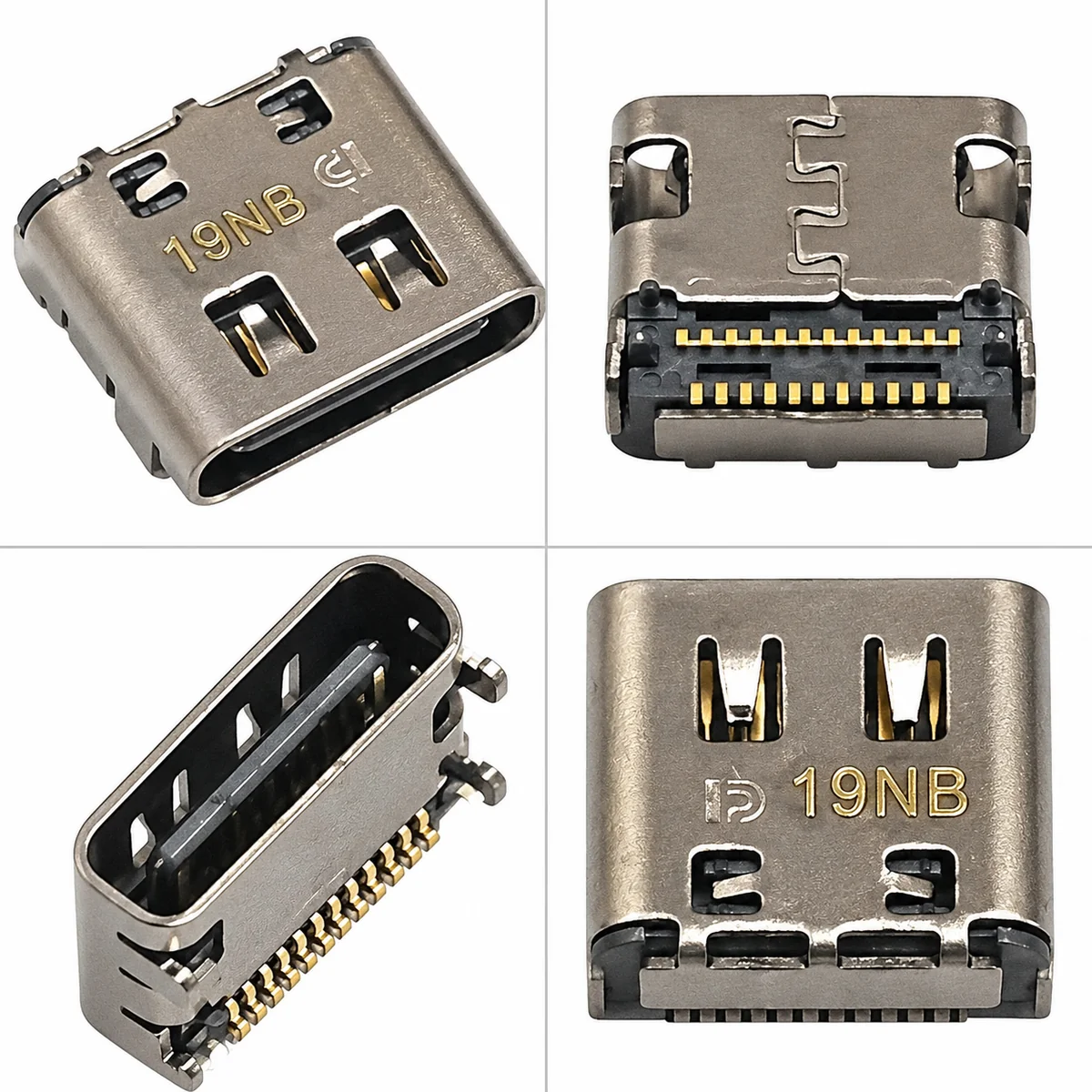
This replacement part is intended for repairing the charging-port assembly when the original component has been diagnosed as faulty. Before ordering, compare the original part’s connector, cable layout, mounting design, part number, and physical appearance with the replacement.
Important compatibility note: Some listed Dell XPS models use USB Type-C ports for charging. The exact replacement assembly must match your laptop’s design. The Dell XPS 17 9700, for example, supports DC-in through its USB Type-C Thunderbolt ports. <Link url=”https://www.dell.com/support/manuals/en-in/xps-17-9700-laptop/xps-17-9700-setup-and-specifications/external-ports?guid=guid-b8f739cc-a41e-4ac9-b3f8-ff6d9c6d8c19&lang=en-us” title=”See Dell’s official port specifications”/>.
Compatible Models
The following models are listed in the supplied product title. Confirm exact hardware compatibility before ordering.
- Dell XPS 12 9250
- Dell XPS 13 7390
- Dell XPS 15 9575 2-in-1
- Dell XPS 15 9500
- Dell XPS 17 9700
Compatibility warning: Do not assume that one cable fits every model above. Confirm the exact connector type, cable assembly, and original part number for your specific laptop.
Compatible Part Numbers
- Exact replacement part number: Not provided
- Original part number: Verify from the existing DC-in cable or charging-port assembly.
- Additional identification: Check the connector shape, pin arrangement, cable length, mounting points, and printed markings.
Some third-party listings identify USB Type-C DC jack assemblies for certain XPS 12 9250 and XPS 15 9575 configurations using part numbers such as 0K0XF2 and R5Y3V. These numbers should not be assumed to fit every model in this listing. <Link url=”https://itpartsource.com/products/dell-dc-power-jack-usb-c-connector-latitude-7275-7390-xps-12-7390-9250” title=”Reference listing for selected Dell models”/>.
Product Details
- Product Category: Laptop Spare Parts
- Product Name: DC-in Power Jack Cable
- Compatible Brand: Dell
- Compatible Series: Selected Dell XPS models
- Models Listed: XPS 12 9250, XPS 13 7390, XPS 15 9575, XPS 15 9500, XPS 17 9700
- Product Condition: New compatible replacement, subject to supplied stock
- Component Type: Charging-port / DC-in cable assembly
- Main Function: Provides the charging-port connection to the laptop’s internal power system
- Connector Type: Must match the original assembly; some models use USB Type-C
- Cable Configuration: Must match the original part
- Installation Location: Inside the laptop chassis
- Package Contents: DC-in power jack cable assembly; verify the exact supplied component
- Installation Recommendation: Professional laptop technician
Common Signs of a Faulty DC-in Power Jack
The charging-port assembly may require inspection if your laptop shows any of these symptoms:
- Charging starts and stops unexpectedly.
- The charging connection feels loose or unstable.
- The laptop does not recognize the charger consistently.
- The charging port or cable has visible physical damage.
- Charging works intermittently despite using a compatible, working adapter.
These symptoms can also be caused by a faulty charger, damaged charging cable, battery failure, USB-C port damage, or motherboard power circuitry. Diagnosis is recommended before replacing the part.
Installation Guidance
- Shut down the laptop and disconnect the charger.
- Have a technician open the laptop using the correct model-specific service procedure.
- Disconnect the internal battery before handling the charging-port assembly.
- Compare the replacement cable and connector with the original part.
- Install the cable without forcing connectors or trapping wires.
- Reassemble the laptop and test charging with a compatible power adapter.
Professional installation is recommended because incorrect handling can damage the motherboard, connector, battery, or internal cables.
Warranty Details
1 Month Replacement Warranty against verified eligible manufacturing or functional defects, subject to LaptopHub’s applicable replacement terms.
Physical damage, accidental damage, burns, cuts, misuse, installation damage, and missing or damaged warranty stickers or labels are excluded.
Important Note
- Confirm the complete Dell XPS model number before ordering.
- Compare the replacement assembly with the original cable and product images.
- Verify connector type, pin arrangement, cable length, mounting points, and part number.
- Ensure the replacement matches your laptop’s charging-port design.
- Do not assume that USB Type-C charging assemblies are interchangeable across all Dell XPS models.
- Using an incompatible cable or forcing a connector may damage the laptop or motherboard.
- Professional installation is recommended.
- If the product is out of stock, your payment will be refunded according to the applicable order process.
- Replacement for verified functional issues is subject to the applicable warranty terms.
- Warranty does not cover external causes, accidents, physical damage, cuts, burns, misuse, or missing or damaged warranty stickers and labels.
- Ensure your delivery address includes the correct PIN code and contact number.
- Product images are for reference; the supplied component may differ slightly in appearance.
Frequently Asked Questions
1. Is this DC-in power jack cable compatible with Dell XPS 12 9250?
The XPS 12 9250 is listed as a potential compatible model. Check the original cable’s connector, part number, and physical design before purchasing.
2. Can I use this cable for Dell XPS 15 9500 or XPS 17 9700?
These models appear in the supplied product title, but compatibility must be confirmed against the exact charging-port assembly. The XPS 17 9700 uses USB Type-C ports for charging, so the connector design is especially important.
3. Will replacing the DC-in cable fix my laptop’s charging problem?
It may help if the charging-port assembly is faulty. Charging problems can also result from the adapter, battery, motherboard, or USB-C circuitry. Diagnose the cause before replacing the cable.
4. Does this product include the charging port and cable together?
The product is listed as a DC-in power jack cable. Confirm the exact package contents and connector assembly before ordering.
5. Does this Dell DC-in power jack cable come with a warranty?
The product includes a 1 Month Replacement Warranty for verified eligible functional defects, subject to LaptopHub’s applicable replacement terms and exclusions




Reviews
There are no reviews yet.