
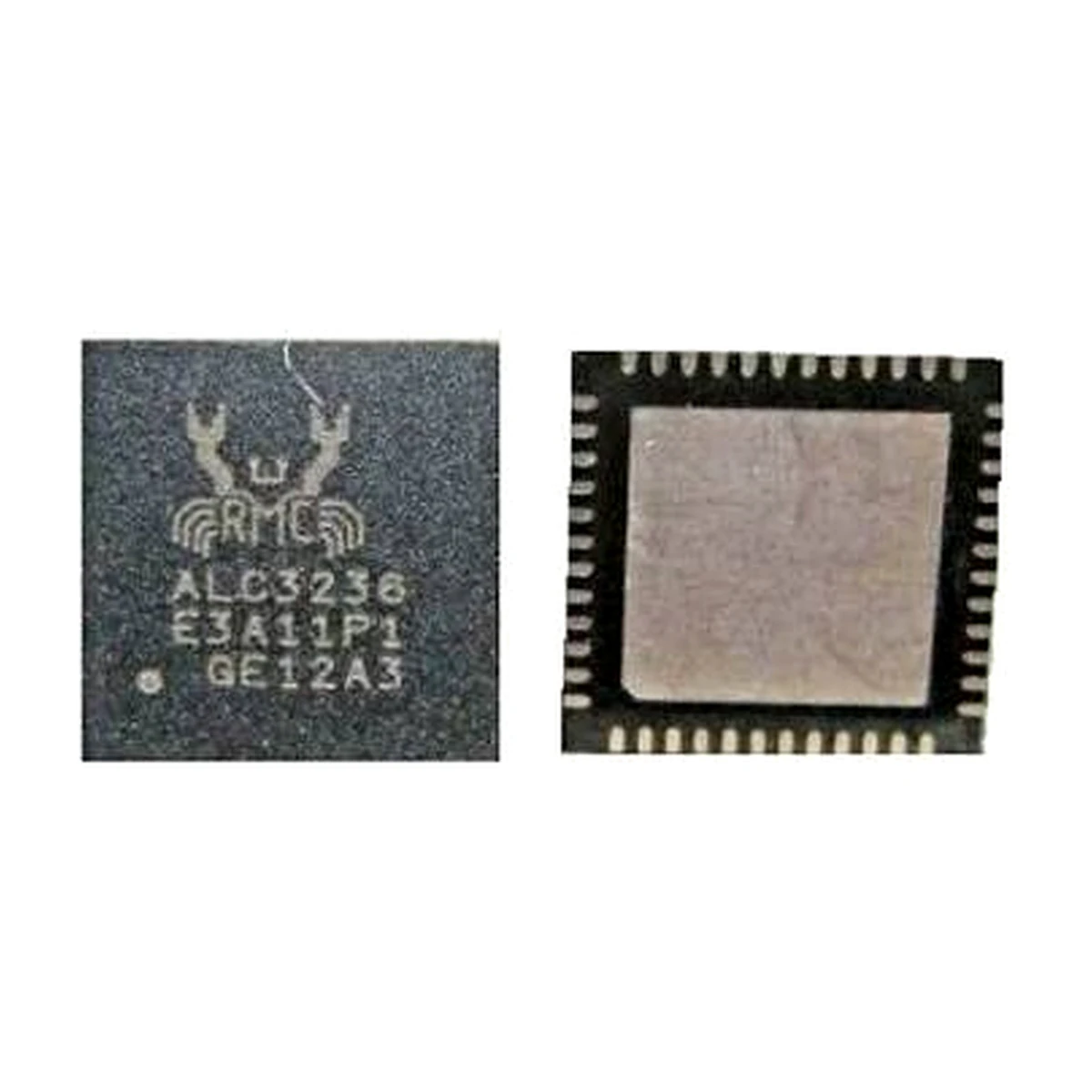
ALC3236 Audio Codec IC for Laptop Motherboard
₹317.00 (GST Included)
All Brand Spare Parts And Accessories Available.
- GST Included
- Tested Parts
- Fast Shipping Across India
- Safe 2-3 Layer Packing
- All Courier Options Available
- Free Technical Support On Call / Whstapp 9953698526
Realtek ALC3236 Audio Codec IC for Laptop Motherboard
Product Description
Buy the Realtek ALC3236 Audio Codec IC for laptop motherboards from LaptopHub. This integrated circuit is designed for compatible laptop motherboard audio systems and supports audio processing for internal speakers, headphones, and microphone input.
The ALC3236 is a High Definition (HD) audio codec used in selected OEM laptop motherboard designs. It helps manage digital and analog audio signals, allowing the motherboard to communicate with connected audio devices.
A faulty audio codec IC may contribute to problems such as no sound, distorted audio, microphone malfunction, headphone detection issues, or failure of the onboard audio system. Replacing the defective IC may restore audio functionality when the codec is confirmed as the source of the problem.
This component is suitable for professional laptop motherboard repair, chip-level servicing, and electronic component replacement.
Before ordering, compare the complete IC marking, package dimensions, pin configuration, and motherboard circuit design with your original component. Different Realtek audio codec models are not necessarily interchangeable.
Product Features
- Realtek ALC3236 audio codec integrated circuit.
- Designed for compatible laptop motherboard audio circuits.
- Supports High Definition audio functionality.
- Used in motherboard audio input and output systems.
- Supports compatible speaker and headphone audio circuits.
- Suitable for professional motherboard-level repairs.
- Compact surface-mount IC package.
- Intended for replacement of a matching original audio codec.
Compatible Part Numbers
- ALC3236
- ALC3236-CG
- ALC3236-VB-CG
- ALC3236-VB2-CG
Important: These are related ALC3236 designations, not automatically interchangeable versions. Confirm the exact suffix and complete marking on your original IC before purchasing.
Product Details
- Product Category: Laptop Motherboard Spare Parts
- Product Name: Audio Codec IC
- Manufacturer: Realtek Semiconductor
- Main Part Number: ALC3236
- Component Type: Integrated Circuit (IC)
- Function: High Definition Audio Codec
- Application: Compatible laptop motherboards
- Audio Processing: Digital-to-analog and analog-to-digital audio conversion
- Audio Output: Compatible internal speakers and headphone circuits
- Audio Input: Compatible microphone and audio input circuits
- Interface: Intel High Definition Audio (HDA) platform implementations
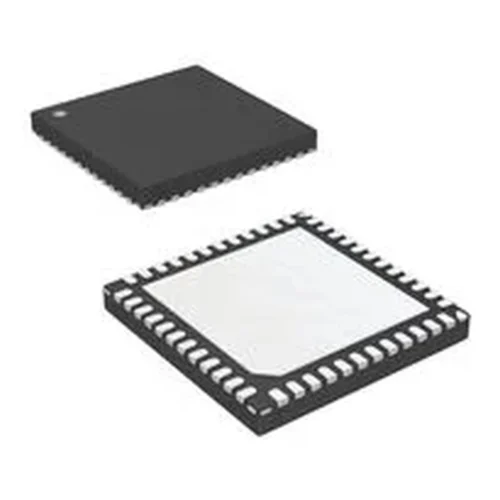
- Package: QFN variant; verify exact package and footprint
- Installation Type: Surface Mount Technology (SMT)
- Repair Application: Laptop motherboard chip-level repair
- Product Condition: New, subject to supplied stock
- Installation Recommendation: Professional IC technician
Audio Codec IC Function
The Realtek ALC3236 is an important component of compatible laptop audio systems. It processes audio signals between the motherboard and connected audio devices.
Its functions may include:
- Processing audio signals for internal laptop speakers.
- Supporting headphone and external audio output.
- Handling microphone input through compatible audio circuits.
- Digital-to-analog audio conversion.
- Analog-to-digital audio conversion.
- Supporting audio input and output routing.
- Communicating with the motherboard’s audio interface.
The exact audio functionality depends on the motherboard design and OEM implementation.
Common Symptoms of a Faulty ALC3236 IC
A defective audio codec IC may be associated with:
- No sound from internal laptop speakers.
- Headphones not detected correctly.
- Microphone input not functioning.
- Distorted, crackling, or abnormal audio.
- Audio output stopping intermittently.
- Failure of the onboard audio system.
- Audio devices not being recognized correctly.
Diagnostic note: These symptoms do not automatically confirm a faulty ALC3236. Audio drivers, BIOS settings, damaged connectors, missing power rails, faulty capacitors, and motherboard circuit damage can cause similar problems.
Installation and Repair Guidance
The ALC3236 is a surface-mount motherboard component requiring professional chip-level repair equipment.
- Identify the original audio codec IC on the laptop motherboard.
- Verify the complete marking and package configuration.
- Check the motherboard schematic or boardview where available.
- Inspect the surrounding audio circuit for damaged components.
- Remove the faulty IC using suitable hot-air rework equipment.
- Clean and prepare the PCB pads carefully.
- Align and solder the replacement IC using the correct rework procedure.
- Inspect solder joints for bridging, shorts, and alignment issues.
- Test the motherboard’s speaker, headphone, and microphone functions.
Professional installation is strongly recommended. Incorrect soldering, overheating, or pin misalignment can damage the IC and motherboard PCB.
Warranty Details
No Warranty
Important Note
- Verify the complete IC marking before placing your order.
- Confirm that your original motherboard uses the ALC3236 audio codec.
- Match the complete suffix, package dimensions, pin configuration, and PCB footprint.
- Do not assume that ALC3235, ALC3204, ALC3234, or other Realtek audio codec models are direct replacements.
- Check the motherboard schematic or boardview for compatibility.
- Diagnose the audio circuit before replacing the codec IC.
- This component is intended for professional motherboard-level repair.
- Proper SMT soldering and chip-level installation equipment are required.
- Using an incompatible IC may damage the motherboard or cause audio circuit malfunction.
- If the product is out of stock, your payment will be refunded according to the applicable order process.
- Ensure your delivery address includes the correct PIN code and contact number.
- Product images are for reference; the supplied component may differ slightly in appearance.
Frequently Asked Questions
1. What is the Realtek ALC3236 Audio Codec IC used for?
The ALC3236 is an audio codec used in compatible laptop motherboards. It processes audio signals for internal speakers, headphones, and microphone circuits.
2. Can a faulty ALC3236 IC cause no sound in a laptop?
Yes. A defective audio codec can cause audio failure, distorted sound, or microphone and headphone problems. Other motherboard components and software issues can produce similar symptoms.
3. Is ALC3236-CG compatible with ALC3236?
The suffix identifies a specific ordering or package designation. Confirm the complete marking, package, and motherboard compatibility before replacing one version with another.
4. Can I replace the ALC3236 IC myself?
Professional installation is recommended. The component requires surface-mount soldering equipment, accurate alignment, and motherboard-level repair experience.
5. Does the ALC3236 Audio Codec IC come with a warranty?
No. This IC product is supplied without warranty.
| Weight | 0.2 kg |
|---|---|
| Dimensions | 7 × 5 × 3 cm |
| Brand | RT |
0.0
Review this product
Share your thoughts with other customers
Only logged in customers who have purchased this product may leave a review.
You may also like…
-
-
₹266.00 (GST Included)
-



- Free Shipping On all orders below 500 grams.
- 15 days money back If not satisfied get refund
- 100% Secure Checkout PayPal / MasterCard / Visa
- 7 Days Online Whstapp Support
0.0
Our Store
Laptop Hub is your one-stop destination for laptop spares, accessories, and repair solutions. Based in New Delhi, we serve millions of buyers across India with fast shipping, genuine products, and expert support.
Store Links
Important Links
Let’s get in touch

Reviews
There are no reviews yet.